Are you using website testing tools to improve your website conversion rates and online revenue? If so, that’s a great start… but you may be gaining low conversion rates without realizing why, especially if you are new to testing. But why?
Unfortunately there is a lack of testing tool best practices for gaining higher conversion rates, so you probably aren’t getting the most out of your tool. This is because vendors mainly focus their user guides on their tool’s ease of use, and very few good external user guides are available either. This results in many online marketers gaining poor conversion rate lifts from tests, often without realizing they can get much better results.
Therefore, to help correct this lack of best practices and improve the results you gain from your testing tools, I have created a high impact user guide (it’s long!) that outlines key steps you need to focus on in your testing tool. It’s great for beginners, yet also for people who have been testing for a while.
Pretesting: Planning your tests
Did you know that the majority of things impacting chances of great testing results actually happen BEFORE even logging in to your testing tool? Yep, that’s right, I would go as far to say that over 50% of testing success comes from doing these first:
1: Generate high impact test ideas. Don’t just pick random things to test, or only test what you or your boss thinks might be a good idea. The best way to generate high performing test ideas is to use your web analytics tool to gain insights, and ideally also use qualitative survey tools like Usertesting.com or Qualaroo to gain feedback from your visitors. And remember not to have preconceived notions of what tests will work well on your site or not – only your website visitors will know what will engage and convert them most often! This step really is essential for creating tests that result in higher conversion rates more frequently.
2: Check you have enough traffic to the page you plan to test. If you don’t have adequate traffic, you will risk wasting time testing – you won’t even get a result, let alone a good result! If you don’t have enough traffic to the page you want to test, you will either have to spend money driving traffic to the page, or you will have to pick another test relating to a page with higher traffic. You can use calculators like this to see how many days are needed to run a test – anymore than 30 days is too long.

3: Prioritize your tests and try easier, high impact tests. It’s essential you prioritize your many test ideas based on how easy they are to implement on your website (in terms of development, design etc) and likely impact on conversion rates. Don’t just pick tests that have highest impact, because they may be very hard to test easily, like your checkout pages – also pick some test ideas that are easy and quick to implement, yet still have a likely high impact. This will help you build a good amount of test results quickly – vital for gaining further buy in for running tests in the future (and if you pick something hard or risky to implement, it may not give great results and risk derailing your future test efforts).
4: Don’t presume you are already using the best testing tool. And by this I mean you really shouldn’t be using Google Content Experiments to run your tests – even though it’s free it really is very lacking in important testing features, apart from the integration with Google Analytics (and Google, please improve this feature soon!) For much better low-cost options, try Visual Website Optimizer (the most features, but slightly lower stability) or Optimizely (more stable, but less features and a little costlier). For more detailed comparisons of these tools, check out this low-cost website testing tool comparison guide I created. There are also many enterprise level solutions like Adobe Test&Target and Autonomy Optimost, but they are usually out of the budget of most small to medium online businesses.
Creating tests in testing tools
Now you know how to give your tests a great kick-start before even using your tool, let’s discuss the most important things you need to remember while creating your tests.
5: Understand options for type of test – split page test, A/B test or multivariate test. When you are creating a test, one of the first things it will ask you is what type of test you want to run. A/B tests are the most common option, and are great for testing variations of a single element like a button, but if you are testing many things at once on a page, you will find it hard to understand what elements are contributing most to conversion rate success. Split page tests are very similar, and are needed when the only way you can test a page is by pointing to a different page (because your site makes it hard to place code around a single page element). Multivariate tests (MVT) allow you to test many elements per page at once, but require much more traffic than an A/B test to run it (it has to test many combinations of variations). Personally, I would always try and run an MVT if you have enough traffic, as it allows for greater analysis for future tests (see final step).

6: Understand targeting to really improve conversion rates further. You will also see an option to create a behavioral targeting test (targeted test) in many low-cost testing tools. This isn’t just about showing different content to visitors in different countries or cities. It’s all about using the tool to show more relevant content to different groups of your visitors, like first time visitors or repeat visitors (e.g. new user guides, repeat visitor discounts and affinity content), and is one of the best ways of increasing conversion rates. You can setup simple segments to target in both Visual Website Optimizer and Optimizely fairly easily, using visitor attributes like repeat visitor, or if they have seen a particular page or not. In advanced testing tools like Adobe Test&Target, you can even analyze your test results by segment and look for even greater conversion rate lifts, and then push multiple winners live to different visitor groups (like paid search visitors or first time visitors).

7: Create great variations for the page or elements you want to test. If you are using Visual Website Optimizer or Optimizely, this is done using their visual editor. If you are using Google Content Experiments, you have to manually create another page that includes the versions you want test. If you have resources available to you, always seek help from web designers and the marketing team to help you create better, more engaging visual designs and messaging.
This part of test creation is essential, as depending on the quality of your ideas for variations, and how much they differ, this will have a huge impact on your ability to increase conversions. For example, if you test a button and only create 3 different shades of the same button color, your visitors most likely won’t notice the difference, causing little impact on conversion rates. Therefore, always create and include a few much bolder variations. Also, don’t create too many variations (more than 5), because the more you create, the longer it will take to gain test results, particularly if you are running an MVT.
8: Understand and set up appropriate goals to measure for each test. Next, it’s key that you set up relevant goals to measure success for each test. This depends on what you are testing, and will often involve more than one goal. If you are testing improving your checkout pages, the biggest goal will be order completion. If you are testing your homepage, you will want to set up goals like click-through rate, and depending what your main site goal is, you will want to add that too (for example generating sign ups).
The most important other thing here is to always try to set up revenue as a goal for each test. This will help you prove test impact on online revenue, not just on conversion rates (your boss and senior executives will care more about revenue!) and this is also essential for helping you show ROI of the tool, vital if you are to be able to gain more budget for future testing. This can be set up fairly easily as goals in Visual Website Optimizer and Optimizely (by adding revenue tracking code), and even in Google Content Experiments (one of its redeeming qualities). Are you doing this for every test?

9: Add notes in the tool that explain your hypothesis and insight. Many overlook this part of creating tests in the tool – if you use the ‘notes’ feature of your tool for each test it will help you document and understand your reasons for each test idea (test hypothesis and insights that helped form it), and help when analyzing test results in the future. In this notes section you should also add observations about the test result, and possible ideas for future tests based on the result (see last step).
10: Install test code on the site and perform QA. The next step is to add the test code on your site (including to the confirmation page) and makes sure everything looks okay. Ideally you should get your developers to do this (and all tools will give you options to send code snippets to your developers with instructions). You should ideally perform the quality assurance (QA) on a development version of your website (not your live site – you don’t want your site potentially breaking for your real visitors!), and don’t forget to check your test in multiple browsers as they can vary (Visual Website Optimizer now even has an option to help do this more easily).
11: Launch the test. Fairly self explanatory – the last step of creating a test in a testing tool will be hitting the ‘launch’ test button. Soon as you have done this, I suggest you double check the test variations are working as expected, and that results are beginning to show up in the tool.
Analyzing test results in testing tools
Now your test is up and running, it’s important to know how to analyze test results. If you don’t do it correctly, you will risk launching a version that isn’t the best performing.
12: Understand what confidence means, respect it – but don’t let it cause paralysis. Testing tools run constant analysis of incoming results to find test winners and declare winners (and losers) by using statistical significance models. This significance result (called chance to beat original/baseline in tools) is then shown next to each test result in your reports, usually as a percentage. In layman’s terms, it basically means the higher the percentage confidence, the more likely that if you ran this test again, the same result would occur. I won’t bore you with how its calculated, but it uses models you may have learned in a statistics class. Ideally you need at least 85% confidence to be sure the tool has found a statistically significant winning version, but don’t let it paralyze you from choosing a winner if you see an amazing lift variation winning, but with only 81% confidence.

13: Gain at least a week’s worth of results before declaring a winner. This is a very common mistake testing tool users often make, with negative consequences. Even if the tool shows high confidence for a winner in a few days, you need at least 7 days worth of results to take into account differences in traffic for days of week and for you to notice fluctuations in winning variations to level out in the results graph (often you will see one variation start off winning, but eventually dip and another version start winning). Never declare a winner sooner, or your will risk launching a version that isn’t actually the best improvement on conversion rates, or may even negatively impact conversion rates in the following weeks (resulting in many negative questions from you boss!)

14: Know how to interpret a good conversion rate percentage lift. This is another key thing to understand when analyzing test results and reports. You may be expecting to see 50% or 100% increases in conversion rates to indicate success, but even much lower conversion rate lifts can be considered successful, particularly when you equate the conversion rate lift into additional revenue. Even a seemingly small 5% conversion uplift can have a big impact on revenue! And remember, it’s not only about the percentage conversion rate lift – you need to check the actual numeric increase in conversion rate. For example, a 50% increase means very little if it’s the difference between a 0.2 and 0.3% conversion rate increase (and your boss may notice if you don’t, and embarrass you!)
After you have declared a winner in each test
And lastly, don’t forget to always do this after your test has ended, as it feeds back into step 1.
15: Learn from your test results to create better follow up test ideas. Don’t just test something and then move on to the next test idea – to gain higher conversion rates you need to run follow up tests. And quite often tests won’t generate the results you expect, so find possible reasons why they didn’t work as planned, and then create a follow up test using different test elements or variations. This is known as test iteration and is the secret sauce of good testing agencies and companies with effective testing teams. For example, don’t just test the number of fields in your form, test the location of it, test the header text and test the button relating to it.
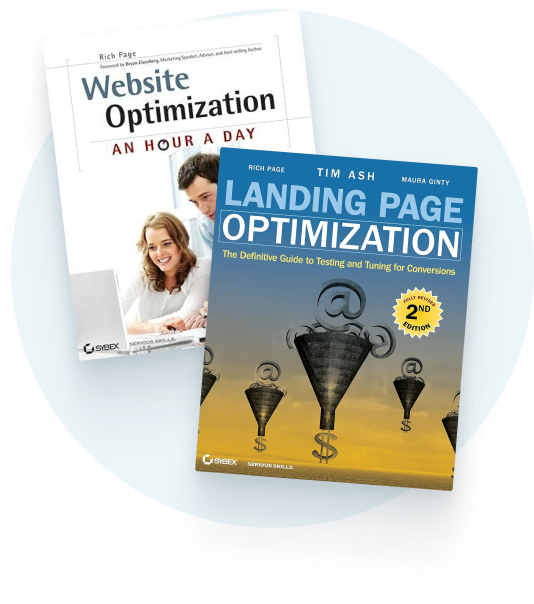
So there we have it. The essential user guide for website testing tool success. If you have found this useful, please share this with anyone that helps run tests in your organization (web analysts, designers, developers, project managers, online marketers etc) so you can all get on the same wavelength and start generating better results in your testing tool! And if you are interested in learning more testing tool best practices, check out my new book which expands on many of these points, plus others.